 phg
7872991e0b
phg
7872991e0b
- Updated test_dns.py to enhance mock function definitions and improve spacing for better readability. - Modified test_filters.py to streamline assertions and ensure consistent formatting across test cases. - Cleaned up test_import_export.py by organizing imports and ensuring consistent formatting in CSV and JSON tests. - Improved test_main.py by refining mock setups and ensuring consistent error handling in assertions. |
||
|---|---|---|
| docs | ||
| images | ||
| src/hosts | ||
| tests | ||
| .gitignore | ||
| .python-version | ||
| AGENTS.md | ||
| CONTEXT.md | ||
| CONTRIBUTING.md | ||
| favicon.svg | ||
| LICENSE | ||
| pyproject.toml | ||
| README.md | ||
| uv.lock | ||

hosts
A keyboard-first terminal application for inspecting and editing /etc/hosts
on macOS and Linux.
Warning
hostsis alpha software. It can replace a system file usingsudo, and several recovery and persistence workflows still have known limitations. Read the user guide before entering Privileged Mode.
What it does
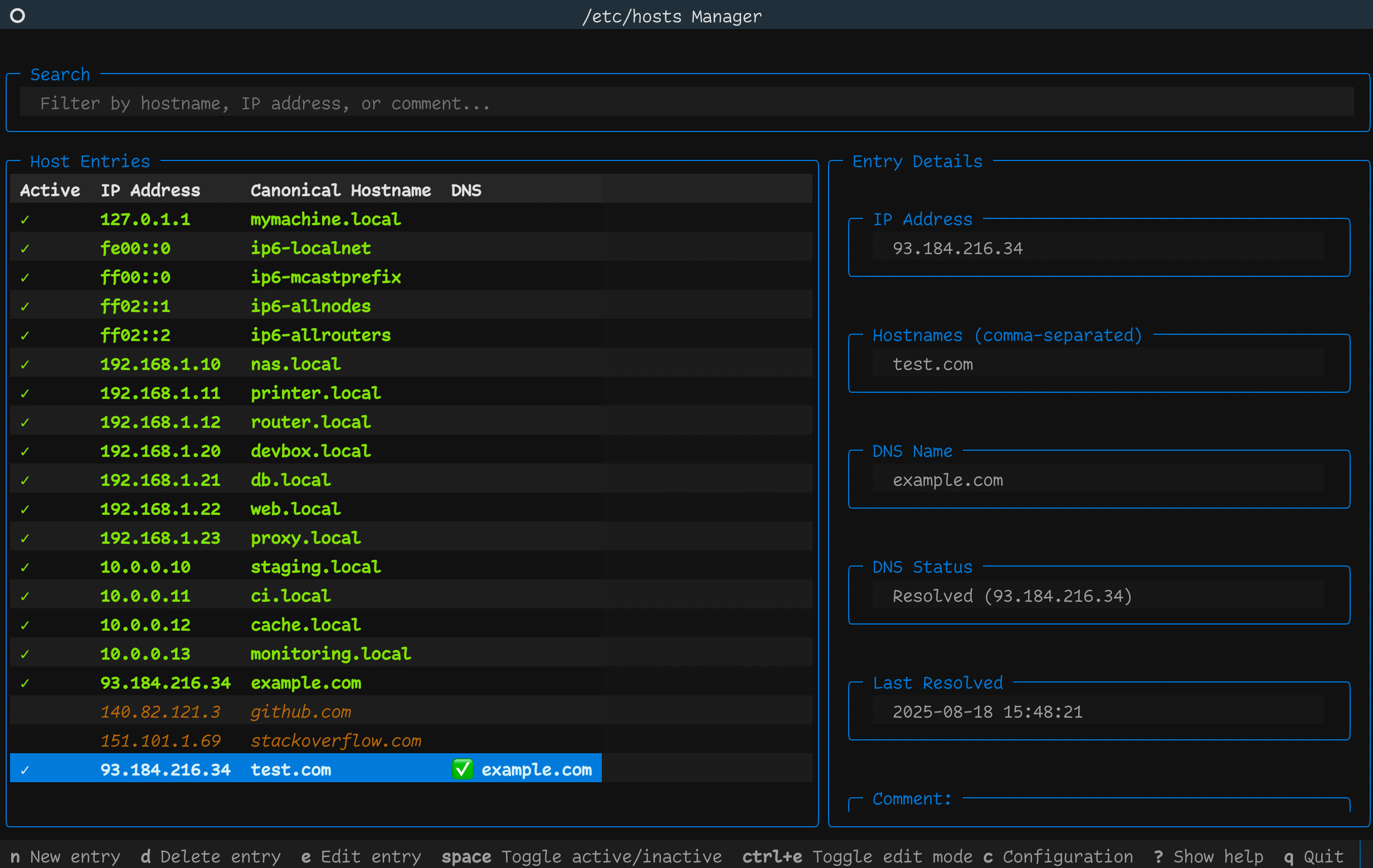
- Browses, searches, and sorts active and inactive Host Entries.
- Hides or shows protected localhost and broadcasthost Default Entries.
- Adds, edits, deletes, activates, deactivates, and reorders Host Entries.
- Creates DNS Entries and manually refreshes their resolved IP addresses.
- Gates every
/etc/hostsmutation behind an explicit Privileged Mode. - Creates a timestamped Pre-edit Backup before Privileged Mode begins.
- Supports undo and redo during the current Privileged Mode session.
The application starts in Read-only Mode. Default Entries cannot be edited, deleted, activated, deactivated, or moved.
Requirements
- macOS or Linux with
/etc/hostsandsudo - Python 3.13 or newer
- uv
The project is designed for macOS and Linux, but does not yet publish a tested platform matrix.
Run
The normal user entry point runs the current revision from the canonical Forgejo repository:
uvx git+https://git.s1q.dev/phg/hosts.git
Caution
This command follows the repository's default branch because the project does not yet publish versioned releases. Review the current project state and known limitations before granting sudo access.
Press Ctrl+E to enter Privileged Mode. The application uses an existing sudo
authorization or asks for your password, then creates a Pre-edit Backup before
enabling changes.
Start with the user guide for the complete workflow, including persistence behavior and manual recovery.
Essential keys
| Key | Action |
|---|---|
Up / Down |
Select a Host Entry |
Ctrl+E |
Enter or leave Privileged Mode |
n |
Add a Host Entry |
e |
Open the selected Host Entry in the Entry Editor |
d |
Delete the selected Host Entry |
Space |
Activate or deactivate the selected Host Entry |
Ctrl+S |
Save the current in-memory state |
? |
Show help |
q or Ctrl+C |
Quit |
Mutating keys work only in Privileged Mode. See the complete key reference for navigation, sorting, DNS refresh, movement, undo, and redo.
Safety and known limitations
- Most successful mutations save immediately, but undo and redo currently change only the in-memory state until another save occurs.
- Reloading discards unsaved in-memory state.
- Sorting currently reorders the in-memory model; a later save can write that
order to
/etc/hosts. Treat sorting as unsafe before another mutation. - A failed save can leave the interface changed while
/etc/hostsremains unchanged. - Pre-edit Backups are not listed or restored by the TUI and have no retention management. Manual recovery is documented in the user guide.
- Leaving Privileged Mode currently invalidates the user's cached sudo timestamp. This is tracked for removal.
- Serialization preserves Host Entries and comments semantically, but normalizes spacing, comment placement, and blank lines. It is not a byte-for-byte round trip.
Read Persistence and recovery before making system-file changes.
Develop and contribute
Clone the repository for development:
git clone https://git.s1q.dev/phg/hosts.git
cd hosts
uv sync
uv run hosts
See CONTRIBUTING.md for code boundaries, safety contracts,
tests, linting, and documentation expectations. Domain language lives in
CONTEXT.md, and consequential design decisions live in
docs/adr/.
Report bugs and request features in the Forgejo issue tracker.
License
Licensed under the MIT License.